



NFTs, now in AR
Frame your NFT in augmented reality—simply
paste an OpenSea link to create a holoframe.
Trusted by NFT collections:















Flex your JPEGs
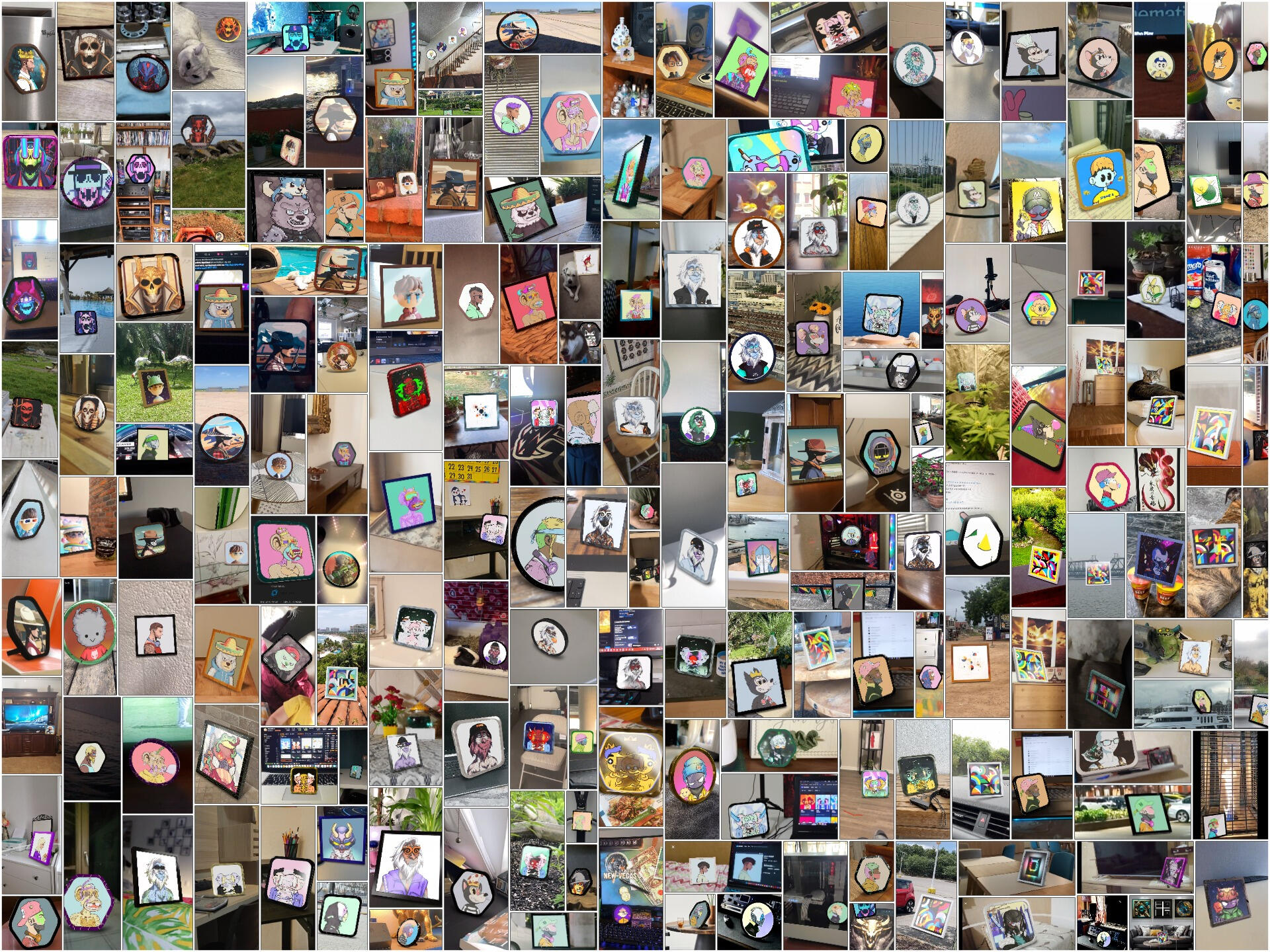
Drop your NFT into a 3D frame, customize it, and view it in AR. Display IRL or share online.
Create an embed
Create a branded augmented reality widget for your NFT collection.
Enter your OpenSea collection
Paste your OpenSea collection URL below.
Customize your widget
Configure how your widget looks and behaves.
Preview
Your widget code
Copy and paste this code into your website
Final preview
Open-source
Holoframe is open-source and free for both personal and commercial use.
Supports 22 chains
Holoframe supports NFTs on chains from Ethereum and Polygon, to Base and Hyper.


Want to get in touch, launch a custom AR experience, or need help? Write to us.
Leave your details and we’ll contact you as soon as possible.
FAQ
What is Holoframe?
Which devices support AR?
How do I embed Holoframe on my website?
Can I embed the universal viewer?
Step 1: Add this code to your website where you want the widget to appear:
<div id="hf-widget"></div>Step 2: Add the widget script with your configuration:
<script> window.hfWidgetConfig = { brandColor: "#00a6fb", displayMode: "button-input", theme: "light" }; </script> <script src="https://cdn.jsdelivr.net/gh/Belter-Labs/holoframe@main/src/hf-core.js"></script>Step 3: Customize the options:
- brandColor: Your brand color (hex code)
- displayMode: "button-input", "button-only", or "embed"
- theme: "light" or "dark"
- buttonAlign: "left", "center", or "right"
Users can then paste any OpenSea NFT URL and view it in AR!
Is Holoframe free to use?
Which chains are supported?
Frame your NFTs
Bring individual NFTs or entire collections to life in augmented reality.
Terms of Service
Last Updated: January 3, 2026
Hey there! Welcome to Holoframe, brought to you by Belter Labs. These Terms of Service (we'll just call them "Terms") explain the rules for using our website at holoframe.io (the "Service"). Our Privacy Policy is part of this too—it covers how we handle your data. By using the Service, you're saying you've read these and agree to them. If not, no hard feelings—just don't use it.
1. License and Attribution
Holoframe is open-source, so feel free to use, tweak, or share the widget code. Just keep these in mind:
- Always include the "Powered by Holoframe" link in your setup.
- Don't mess with or remove any copyright notices.
- If you make changes, note that they're yours.
- You can use it for business stuff, as long as you give credit.
2. How You Can Use the Service
Use it for good, legal stuff only. Don't:
- Break any laws.
- Try to hack, reverse-engineer, or copy our code in sneaky ways.
- Overload our servers or mess with the Service.
- Block others from enjoying it.
- Strip out the attribution we mentioned.
3. Third-Party Stuff
We pull NFT info from OpenSea's API. That means you're also bound by their rules, and we respect NFT creators' rights. We're not responsible for what third parties do or share.
4. Our Intellectual Property
The Holoframe name, logo, and designs are ours. The code's open-source per the license above.
5. Your Content
In the Widget Builder, you input NFT collection details. Make sure you have the rights to that info and it doesn't step on anyone else's toes.
6. No Guarantees
We provide the Service "as is." It might have bugs, go down sometimes, or not work perfectly. No promises it's always secure, uninterrupted, or error-free.
7. Liability Limits
If something goes wrong, we're not on the hook for indirect damages like lost profits or extra costs. Our liability is capped where the law allows.
8. Privacy
We keep data collection light. Check the Privacy Policy for the details.
9. Updates to These Terms
We might change these Terms. We'll post updates here, and if you keep using the Service, that means you're cool with them.
10. Ending Access
We can pause or stop your access if you're breaking rules or harming others—no notice needed.
11. Governing Law
These Terms follow the laws where we operate, ignoring conflicts between regions.
12. Questions?
Hit us up at belterlabs.com.
Privacy Policy
Last Updated: January 3, 2026
Hi! This is Belter Labs' Privacy Policy for holoframe.io (the "Service"). It explains what info we grab, how we use it, and who we share it with. We aim to keep things simple and minimal.
1. What We Collect
From You Directly:
- NFT collection links and addresses when you build a widget.
- Your choices for colors, themes, and display options.
Automatically (for security only):
- IP address - temporarily stored for 1 hour to prevent spam and abuse, then automatically deleted.
From Third Parties:
- NFT details (like images and names) from OpenSea's API—just to show them in the AR widget.
2. How We Use It
- To run and improve the Service.
- Create your custom widget code.
- Pull and display NFT info.
- Spot usage trends to make things better.
- Keep things secure and stop fraud.
3. Sharing Info
We don't sell your data. We might share:
- With helpers like OpenSea for NFT data.
- If the law requires it or to protect us/others.
- If you say it's okay.
4. No Cookies or Tracking
We don't use cookies, analytics, or any tracking scripts. Zero. Nada. IP is only used for rate limiting and gets auto-deleted after an hour.
5. Security
We use solid measures to protect your info, but remember, nothing online is bulletproof.
6. Links to Others
We link to places like OpenSea or our site. Their privacy is on them, not us.
7. Children's Privacy
Our Service is not intended for children under the age of 13. We do not knowingly collect personal data from anyone under 13. If you are a parent or guardian and you believe your child has provided us with their personal data, please contact us immediately. If we discover that we have collected personal data from a child under 13 without verified parental consent, we will promptly delete that information. In situations where we rely on consent as the legal basis for processing personal data and your country requires parental consent, we may ask for your parent's or guardian's consent before collecting and using that information.
8. Your Rights
Depending on where you are (like under GDPR or CCPA), you can:
- See, fix, or delete your info.
- Say no to certain uses.
- Get a copy of your data.
- Pull back consent.
- Opt out of sales (but we don't sell anyway).
Contact us at [email protected] to exercise these.
9. How Long We Keep It
Only as needed to run the Service and do what this policy says.
10. International Folks
Your data might cross borders to where we process it.
11. Updates
We'll tweak this policy sometimes and note the date. Check back.
12. Contact
Questions? Reach out at [email protected]